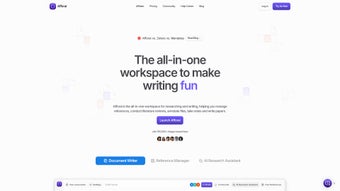

Download Afforai – AI‑Powered Reference Management Tool for Researchers
Organize, annotate, and cite your research papers with the power of AI. Try the free 14-day trial today.
Start Free TrialWhy Researchers Love Afforai
- AI‑powered metadata extraction from PDFs and web links
- One‑click citation generation for 9,000+ journal styles
- Collaborative workspaces for team research projects
- Secure, encrypted cloud storage with GDPR compliance
Key Features & Tools That Set Afforai Apart
Afforai Reference Manager (ARM)
Import PDFs, web links, and metadata. AI automatically extracts bibliographic details, tags, and keywords.
Afforai Cite
Generate citations in 9,000+ journal styles with one click. AI checks formatting and flags inconsistencies.
Afforai Notebook
Rich-text, LaTeX, and markdown support. Annotations are linked directly to references for easy retrieval.
Afforai AI Research Assistant
Summarise papers, compare findings, suggest missing citations, and get language-level help for non-native speakers.
Smart Literature Review Builder
AI creates visual maps of research trends based on thematic clusters in your library.
Collaborative Workspaces
Share collections, assign tasks, and track changes in real time with co-authors.
Secure Cloud Sync
Encrypted data at rest and in transit. Export in RIS, BibTeX, or CSV for offline use.
Cross-Platform Accessibility
Works on Windows, macOS, Linux, iOS, and Android. Responsive web design ensures a seamless experience.
Regular Updates & Support
Monthly feature enhancements and 24/7 chat support for subscribers.
Installation, Setup, and Compatibility Details
Step-by-Step Onboarding
- Account Creation – Click “Sign Up,” provide your institutional email, and set a strong password.
- Choose a Plan – Start with the 14-day free trial for the Premium tier.
- Import Your Library – Upload PDFs, drag and drop files, or connect to Google Scholar, PubMed, or your university library.
- Configure Citation Styles – Select your target journal’s style or upload a custom CSL file.
- Set Up Collaboration – Invite co-authors via email and assign roles (viewer, editor, manager).
- Explore the AI Assistant – Open the chat window and type a query like “Summarise the main findings of Smith 2023.”
- Enable Two-Factor Authentication – For added security, enable 2FA in your account settings.
- Customize Notifications – Choose email, in-app, or push notifications for new citations and alerts.
Operating System Compatibility
Afforai runs in the cloud, so it’s fully compatible with:
- Windows 10, 11 (any edition)
- macOS Monterey, Ventura, and later
- Linux distributions with a modern browser (Ubuntu, Fedora, Debian, etc.)
- iOS 14+ and iPadOS 14+ (Safari or Chrome)
- Android 9+ (Chrome or Firefox)
For a desktop-like experience, Afforai offers a progressive web app (PWA) that can be installed on Windows, macOS, and Linux.
Pros and Cons – A Balanced Look at Afforai
Pros
- Deep AI integration automates metadata extraction and citation formatting.
- All-in-one suite eliminates the need for multiple tools.
- Responsive web design works across all devices.
- Secure, encrypted cloud storage compliant with GDPR and other privacy regulations.
- Collaborative workspaces streamline co-author communication.
- Regular feature updates and responsive customer support.
- Free 14-day trial for risk-free evaluation.
- AI-generated literature maps help identify research gaps quickly.
- Two-factor authentication and granular permission settings enhance security.
Cons
- Subscription pricing may be high for independent researchers.
- Full AI functionality requires an internet connection.
- Learning curve for advanced AI commands.
- Export options are limited to standard formats; custom metadata requires manual editing.
- No native desktop client for Windows or macOS.
- AI summarisation occasionally misses nuanced methodological details.
Frequently Asked Questions
Is Afforai compatible with my university’s library proxy?
Yes. Afforai can connect through most institutional proxy systems. During the import wizard, select “Use Proxy” and provide your institution’s proxy URL.
Can I export my library to use with other reference managers?
Afforai supports export in RIS, BibTeX, and CSV formats. You can download your entire library or selected collections for use with tools like Zotero or EndNote.
How secure is my data on Afforai?
All data is encrypted with AES-256 at rest and TLS 1.3 in transit. Afforai also offers two-factor authentication, regular security audits, and compliance with GDPR, HIPAA, and ISO 27001 standards.
What happens if I lose internet access while working offline?
The PWA mode caches previously opened PDFs for reading, but AI-driven features like summarisation and citation generation require an active connection. You can still create manual notes and export them later.
Is there a discount for students or non-profit institutions?
Afforai offers a 20% discount on annual subscriptions for verified students and non-profit research organisations. The discount is applied automatically when a .edu or equivalent institutional email is used during sign-up.
Ready to Streamline Your Research Workflow?
Click the button below to start your free 14-day trial and experience the power of AI in reference management.
Start Free Trial